
Bodycam Aimbot Settings: What FOV, Bone and Silent Aim Actually Change
The aimbot has more controls than most people use. Here is what each one does, which combinations feel natural and which ones give the game away.
Bodycam gives you no crosshair, so the aimbot menu is doing work that other games hand to a reticle. Every setting below changes how the assist behaves, and the difference between a natural setup and an obvious one is entirely in here.
FOV circle
The FOV circle is the radius around your camera centre that the aimbot will consider targets inside. Draw it on screen while you tune, then turn the drawing off once you are happy.
Small circles keep the assist local. It picks up what is already near the middle of your view and does nothing about the player sliding past your shoulder. That is the setting that looks human, because humans do not react to things behind them.
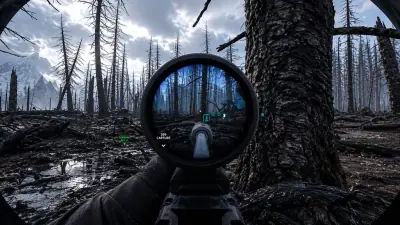
Large circles grab more but start pulling across the screen, which is where Bodycam footage starts looking wrong. The game has no crosshair to anchor a viewer's eye, so a camera that snaps sideways with nothing in the middle reads as assisted immediately.
Start small. Widen it until close range stops feeling sluggish, then stop.
Aim line
The aim line draws a line from your camera to whatever the aimbot has selected. It is a tuning aid, not a gameplay feature. Leave it on while you adjust and turn it off for clean footage.
It is also the fastest way to diagnose a bad config. If the line is jumping between two players in a doorway, your FOV is too wide or your target selection is too eager.
Head and chest
Head targeting puts rounds where they kill fastest. Chest targeting is more forgiving and tracks a moving body better, because the chest moves less than a head does during strafing and peeking.
Chest is the better legit choice. Headshots look impressive but a camera that lands on the skull every single burst, with no crosshair and heavy recoil, is a lot to explain. Run chest and take the odd headshot naturally.
Silent aim
Silent aim fires on target without the camera visibly moving. Combined with no crosshair, it produces the calmest possible footage: rounds land, the view does not jerk, nothing on screen contradicts itself.
It is also the setting most likely to make people suspicious in a good way. You will get asked. Keep the FOV modest and it stays subtle.
Magic bullets, instant aim and instant kill
Magic bullets remove line of sight as a requirement. Instant aim skips the travel time to target. Instant kill ends the argument.
These three are the rage stack. Body Bomb rounds end in under a second with all three on, and there is no pretence of realism left. Fine for grinding, not great if you want people to believe you.
No aim restrictions
No aim restrictions lifts the limits the aimbot normally works inside. Useful when you are running third person or a custom view FOV and the standard boundaries stop matching what is on screen.
Setting the whole thing up
Believable config: small FOV, chest, moderate speed, no draw options, silent aim off. Add silent aim if you want the cleanest possible look.
Aggressive config: wide FOV, head, instant aim, magic bullets, instant kill. Keep the aim line drawn so you can see what it is doing when it inevitably picks the wrong target.
Both configs are worth saving separately. Switch between them rather than rebuilding settings each session, and pair the aimbot with a distance limited ESP so you are not aiming at people you could not plausibly have seen.