
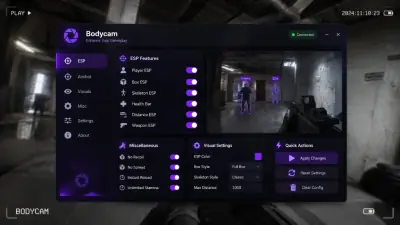
Bodycam Cheat Not Working After a Patch: What to Check
Almost every post patch problem is a stale build, a security setting or a loader launched in the wrong order. Work through this list before opening a ticket.
Bodycam is in early access and it patches constantly. Every one of those patches has the potential to move the memory the cheat reads from, which means an old build stops working and usually stops working in a boring way: the menu opens, nothing applies, or the loader refuses to start.
Before anything else, work out which of the four situations below you are actually in.
1. The game updated and the cheat did not
Most likely cause by a wide margin. Check whether the current Bodycam version matches the build notes for the cheat. If the game patched today and the build predates it, that is your answer and there is nothing to fix locally.
Updates ship after major game changes and active subscribers get them at no extra cost. Wait for the compatibility build rather than reinstalling the old one repeatedly.
The v0.9 patch in November 2026 is a good example of a change worth waiting for. It added Easy Anti-Cheat alongside a zombie mode, and anything reading game memory had to account for both.
2. The build is current but the loader will not start
Run the loader as administrator. Then check the four security settings: HVCI, Core Isolation, TPM and Secure Boot. A Windows update can quietly reset Memory Integrity, and the loader checks for it.
If Cloud DMA is not connecting, verify virtualisation is still on in BIOS. Firmware updates and CMOS resets clear it.
3. The menu opens but nothing applies in game
Launch order matters. Loader, then game, is the order. Starting Bodycam first and injecting afterwards is the most common version of this problem.
If the order was correct, check whether the game is running in a mode the overlay cannot attach to. Fullscreen exclusive is the usual culprit. Windowed borderless behaves.
4. The overlay appears but the game crashes
Disable the heavier visual modules first: chams, skeleton, snaplines. If it stabilises, re-enable one at a time to find the offender.
Then check the total overlay load. A wide FOV circle, every ESP element and full colour customisation all running together is more work than a 4 GB card wants. Cap the distance on labels and drop what you do not read.
Things that look like cheat problems but are not
Stutter in the first minute of a match is usually shader compilation after a patch, not the build. Let it settle.
Low frames on Village and Asylum after a map pass are the map, not the overlay. Compare against a solo session with the cheat unloaded.
A failed load right after a Windows update is nearly always a reset security setting. Re-check the list rather than reinstalling.
When to open a ticket
If you have worked through all four sections and the build is current, open a ticket with your order ID and the exact error. Include the Windows build number and the game version. Discord works too.
Do not reinstall Windows as a first step. It is a last step, and it rarely fixes a problem that a version check would have solved in two minutes.
Keeping ahead of it
Check the build notes before you load in after any patch. Turn off auto updates on nothing, keep them on, but treat patch day as a day to wait rather than a day to troubleshoot.